
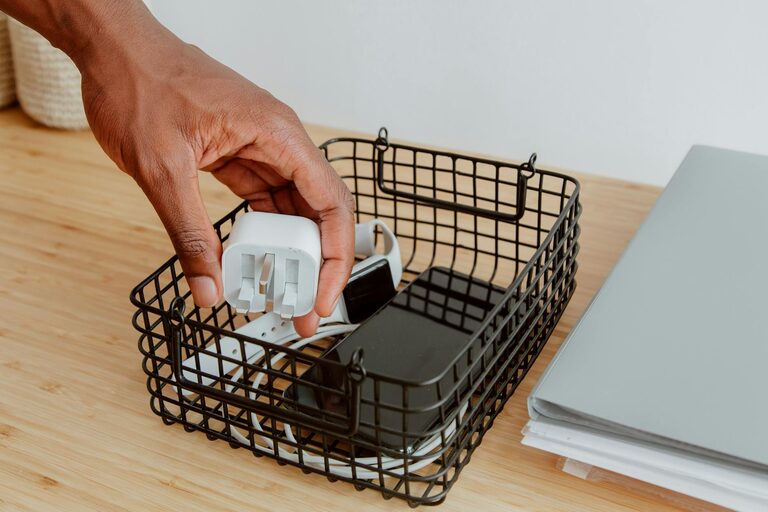
Keeping cables and chargers neatly organized can be a challenge, especially as we accumulate more electronic devices. Tangled cords and scattered chargers not only create visual clutter but also make it difficult to find the right cable when you need it. Fortunately, with some simple strategies and a little effort, you can keep your cables tidy and your space worry-free.
Why Organizing Cables and Chargers Matters
Before diving into the how-to, it’s important to understand the benefits of organizing cables neatly:
– Saves time: Quickly find the charger or cable you need without untangling a mess.
– Prevents damage: Properly stored cables are less likely to fray or break.
– Enhances appearance: A clean and tidy setup improves your workspace or home environment.
– Improves safety: Avoid tripping hazards caused by loose cables on the floor.
Now, let’s explore practical steps to get those cords under control.
Step 1: Gather and Sort Your Cables
Start by collecting all the cables and chargers you have, including those that might be tucked away in drawers or boxes. Lay them out in one place so you can see exactly what you own.
Next, sort them into categories such as:
– Charging cables (USB, lightning, USB-C)
– Power cords for devices like laptops and printers
– Audio cables (headphones, speakers)
– Network cables (Ethernet)
– Other miscellaneous cables
Sorting helps identify duplicates or cables you no longer need, which you can donate, recycle, or dispose of responsibly.
Step 2: Choose a Storage Solution
Once sorted, pick a storage method that suits your needs and space. Here are some popular options:
Cable Organizers and Holders
– Cable clips: Small adhesive clips that hold cables in place on desks or walls.
– Cord winders: Devices designed to wrap and store cables compactly to avoid tangling.
– Cable sleeves: Fabric or plastic sleeves that bundle multiple cables together.
– Cable boxes: Boxes designed to conceal power strips and cables, keeping them out of sight.
Repurposed Household Items
– Muffin tins or ice cube trays can store small cables and chargers.
– Toilet paper rolls: Use these as individual cable holders inside a box or drawer.
– Binder clips: Clip cables and attach them to the edge of your desk for easy access.
Drawer or Container Storage
If you prefer storing your cables in drawers:
– Use drawer dividers or small containers to separate different types.
– Label each section or container for quick identification.
Step 3: Label Your Cables
Labeling cables is a game-changer, especially when cables look similar but serve different purposes. You can use:
– Pre-made cable labels available online.
– Washi tape or masking tape combined with a marker.
– Small tags or stickers.
Write clear descriptions like “Phone Charger,” “Tablet USB-C,” or “Printer Power Cord.” This saves time and prevents confusion.
Step 4: Use Proper Cable Management Techniques
When storing cables or while they’re in use, here are some tips to keep them neat:
Wrap Cables Properly
– The Over-Under Method: This technique prevents cables from kinking and tangling, extending their lifespan.
– Simple loops: Avoid tight loops or bending cables at sharp angles.
– Velcro straps or reusable twist ties: Use these to hold cables in neat coils.
Keep Cables Off the Floor
Use hooks, clips, or under-desk trays to lift cables off the floor, reducing tripping hazards and dust accumulation.
Bundle Similar Cables Together
Grouping cables of similar function or destination together makes them easier to identify and manage.
Step 5: Create Charging Stations
Having a dedicated charging station keeps your frequently used chargers organized and in one place.
– Use a multi-port USB charger to reduce the number of plugs needed.
– Place the charging station on a desk or shelf with cable organizers attached for neat cable routing.
– Designate a drawer or box nearby to store less frequently used chargers.
Step 6: Maintain Your Organization Regularly
Organization is not a one-time task. Schedule regular check-ins to:
– Remove cables or chargers you no longer need.
– Ensure cables are properly stored after use.
– Replace worn-out cable holders or labels.
Additional Tips
– Keep spare cables in a labeled kit for travel or emergencies.
– Consider wireless options where possible to reduce cables.
– Use color-coded cables or tags to quickly identify device type or owner.
– Keep power strips accessible but tidy by attaching them under desks or inside boxes designed for cable management.
—
By following these steps, organizing your cables and chargers can become a straightforward task, leading to a clutter-free, safer, and more enjoyable space. Experiment with different methods to find what works best for you!
Happy organizing!